YouTube Studio tells you how your own Shorts performed. Public research tools tell you what other channels published and how viewers visibly responded. Keep those evidence types separate: no outside tool can recreate a competitor’s private retention graph or channel dashboard.
1. Start with YouTube Studio
In our August 26, 2026 first-page check for youtube shorts analytics, YouTube’s official Shorts analytics help page ranked first. That matches the intent: creators looking for their own performance data should begin with the platform that generated it.
YouTube changes labels and report layouts over time, so use the definitions in your current Studio interface and official Help documentation.
2. Shorts metrics to review
Views and shown in feed
Views describe consumption under YouTube’s current counting rules. Shown in feed describes how often a Short appeared in the Shorts feed when that card is available. Read the two together; a creative problem and a distribution problem are not the same diagnosis.
Views and engaged views are different measures
YouTube’s current counting rules, checked September 9, 2026, say views count from playback starting across all formats as of August 24, 2026. Its explanation of engaged views distinguishes a playback start from clicking to watch or continuing beyond the initial seconds. YouTube says most analytics remain anchored on engaged views, including average view duration and retention.
Record whether a report uses views or engaged views before calculating a rate. A change in the denominator can change the apparent engagement rate without a matching change in viewer behavior. Keep dates and definitions consistent when comparing your baseline, and do not infer a recommendation-system change from a view-count change alone.
How many chose to view
This comparison helps you assess whether viewers watched or swiped when YouTube showed the Short in feed. Treat it as a channel-specific diagnostic, not a universal pass/fail score.
Audience retention and average view measures
Use the retention graph to find where viewers leave, rewatch, or stay through the payoff. Compare videos with similar lengths and topics. A loop can lift average percentage viewed, so percentages above 100% do not automatically mean every viewer watched to the end.
Traffic sources
Separate Shorts feed, YouTube Search, channel pages, external sources, and other surfaces. A Short discovered through search may need a different title and topic strategy than one distributed mainly in feed.
Engagement and subscribers
Review likes, comments, shares, and subscribers gained alongside views and retention. None of these metrics alone proves why the recommendation system distributed a video.
3. Do not use invented universal benchmarks
Claims such as “70% chose to view guarantees reach” or “80% retention is elite” ignore topic, audience, length, traffic source, and channel maturity. A safer process is:
- Group comparable Shorts by length and topic.
- Record the same Studio metrics for each video.
- Calculate your own median or typical range.
- Investigate the videos clearly above and below that baseline.
- Change one creative variable in the next test.
Your own repeatable baseline is more useful than a benchmark with no disclosed dataset.
4. What public competitor research can show
For channels you do not own, you can observe:
- public views, likes, comments, and publishing dates;
- title, description, hashtags, thumbnail or selected frame;
- posting cadence and recurring topics;
- visible hook, pacing, captions, overlays, and payoff structure;
- which videos appear to outperform the channel’s usual public range.
You cannot observe their private retention, chose-to-view rate, audience demographics, revenue, or conversion data without authorized access.
5. Tools by job
| Tool | Best use | Data boundary |
|---|---|---|
| YouTube Studio | Analytics for a channel you manage | First-party private data |
| ContHunt | Public Shorts discovery and AI-assisted creative-pattern analysis | Public content research, not private channel analytics |
| Google Trends | Directional topic interest with the YouTube Search filter | Search-interest index, not video performance |
| vidIQ | YouTube topic, channel, and publishing research | Mix of public data, product analysis, and connected-account features |
| YouTube search and channel pages | Manual competitor sampling | Public observations only |
6. Where ContHunt fits
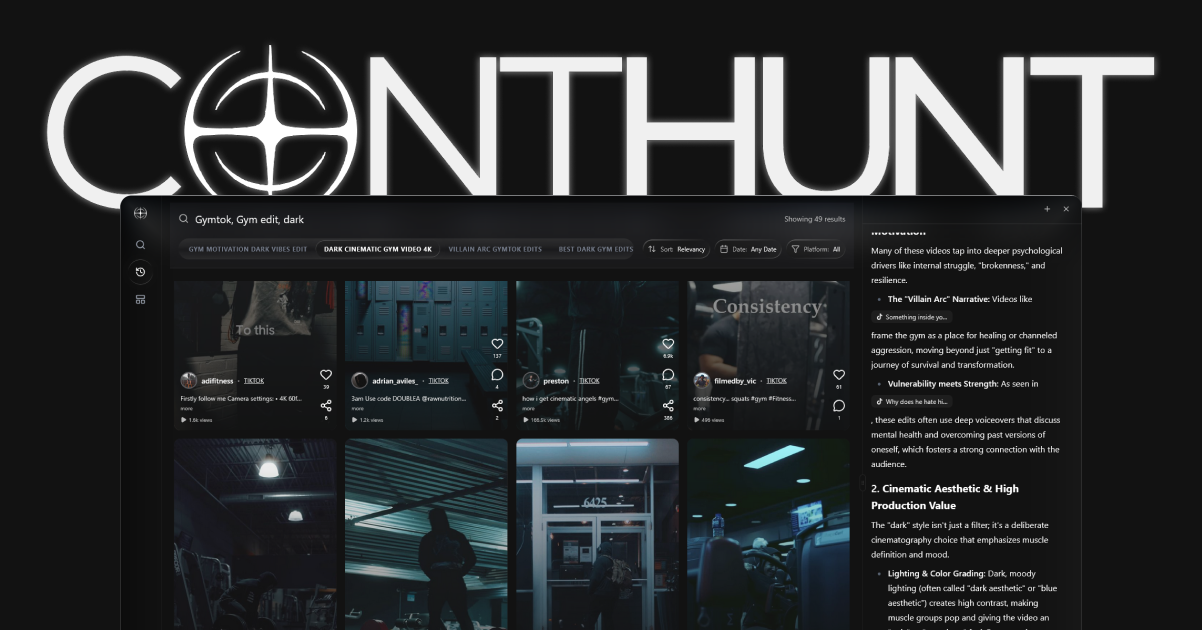
ContHunt’s documented role is cross-platform short-form research. Teams can search public videos across TikTok, Instagram Reels, and YouTube Shorts, then analyze visible creative elements such as hooks, pacing, overlays, and repeatable patterns.
Use that research to generate a hypothesis, then use YouTube Studio to measure the result on your own channel.
7. A weekly Shorts analytics review
- Export or record the latest Studio metrics for your own Shorts.
- Group similar videos by topic, length, format, and audience intent.
- Identify one clear outperformer and one underperformer against your baseline.
- Review the retention graph and traffic-source mix for both.
- Inspect public competitor examples for a relevant creative gap.
- Write one test: hook, pacing, topic, proof, or payoff.
- Publish and record the result before changing another variable.
8. Questions the data should answer
- Did viewers choose to watch when the Short appeared in feed?
- Where did retention fall or rise?
- Which traffic source produced the viewers?
- Did the Short drive engagement or subscribers consistent with its goal?
- Does the result repeat across similar videos?
- What one creative difference should the next test isolate?
Conclusion
Use YouTube Studio as the source of truth for your channel, compare similar Shorts against your own baseline, and treat public competitor research as a separate evidence layer. ContHunt can help find and analyze visible short-form patterns; Studio is where you verify whether the next test worked.
Related guides
- How to Track YouTube Shorts Competitors
- YouTube Shorts Best Practices
- YouTube Shorts Hashtags Guide
- YouTube Tracker Guide
Sources
- How engagement metrics are counted · YouTube Help
- What are Engaged Views on YouTube? · YouTube Blog
- Content tab analytics tips - Shorts · YouTube Help
- Understand three-minute YouTube Shorts · YouTube Help
- How Often to Post on YouTube? We Analyzed 10 Million Channels · vidIQ