Zach Sanders
Zach Sanders · Head of Growth
Updated Feb 19, 2026

Best YouTube Tracker Tools: Track Channels, Videos & Competitors (2026)

Best YouTube Tracker Tools: Track Channels, Videos & Competitors (2026)

Direct Answer

The best **YouTube tracker** tools in 2026 are **vidIQ** (best for keyword research), **TubeBuddy** (best for channel optimization), **Social Blade** (best free subscriber tracker), and **ContHunt** (best for competitive tracking and content intelligence). A YouTube tracker monitors channel metrics like subscriber growth, view counts, watch time, and engagement—either for your own channel or for tracking competitors. The key shift in 2026 is moving from basic stat-tracking to **predictive analytics and competitive intelligence**: knowing not just *what* happened, but *what your competitors are doing next*.

Best YouTube Tracker Tools: Track Channels, Videos & Competitors (2026)

Whether you’re a creator tracking your own growth, a brand monitoring competitors, or a marketer analyzing video trends, having a reliable YouTube tracker is non-negotiable in 2026.

But with dozens of tracking tools available—from free browser extensions to enterprise platforms—choosing the right one is overwhelming. Some trackers are great for keyword research but terrible at competitor monitoring. Others show subscriber counts but nothing about content performance or trends.

This guide reviews the 12 best YouTube tracker tools for 2026, organized by use case, with honest pros, cons, and pricing for each. Whether you need basic stat tracking or full competitive intelligence, you’ll find the right tool here.


What Does a YouTube Tracker Do?

A YouTube tracker monitors and analyzes:

  • Channel Metrics: Subscriber count, total views, estimated revenue, upload frequency.
  • Video Performance: Views, watch time, engagement rate, view velocity (how fast views accumulate).
  • Keyword Rankings: Where your videos rank for target search terms on YouTube.
  • Competitor Activity: What competitors are publishing, what’s performing, and what gaps exist.
  • Trending Content: Videos and topics gaining momentum in your niche.

Why YouTube Tracking Matters in 2026:

  • Algorithm Visibility: YouTube’s recommendation algorithm changes weekly. Tracking helps you detect shifts in what content gets promoted.
  • Content ROI: With production costs rising, tracking ensures every video serves a strategic purpose.
  • Competitive Intelligence: 78% of marketing teams now track competitor YouTube channels. If you’re not, you’re flying blind.

The 12 Best YouTube Tracker Tools (2026 Comparison)

Quick Comparison Table

Tool Best For Competitor Tracking Free Plan Starting Price
YouTube Studio Own channel analytics Free
ContHunt Competitive intelligence $29/mo
vidIQ Keyword & SEO research $7.50/mo
TubeBuddy Channel optimization $4.99/mo
Social Blade Public channel stats Free
Rival IQ Cross-platform benchmarking Trial $239/mo
NoxInfluencer Influencer analytics $49/mo
Tubular Labs Enterprise video intelligence Custom
Channel Crawler Channel discovery Free
Keywordtool.io YouTube keyword research $69/mo
Hype Auditor Audience quality analysis Trial $299/mo
Brand24 YouTube mention monitoring Trial $79/mo

1. YouTube Studio (Best for Own Channel)

Price: Free YouTube’s native analytics dashboard is the most accurate source for your own channel data.

Key Features:

  • Real-time views, watch time, and subscriber tracking
  • Traffic source analysis (search, suggested, browse, external)
  • Revenue analytics (for monetized channels)
  • Audience demographics and returning viewer rate
  • Content performance comparison

Pros: Most accurate data source, 100% free, deep audience insights. Cons: No competitor tracking, no keyword research tools, limited trend detection.

Best For: Every YouTube creator should use Studio as their baseline. Layer other tools on top for competitive intelligence.


2. ContHunt (Best for Competitive Intelligence)

Price: Free tier available | Paid from $29/mo

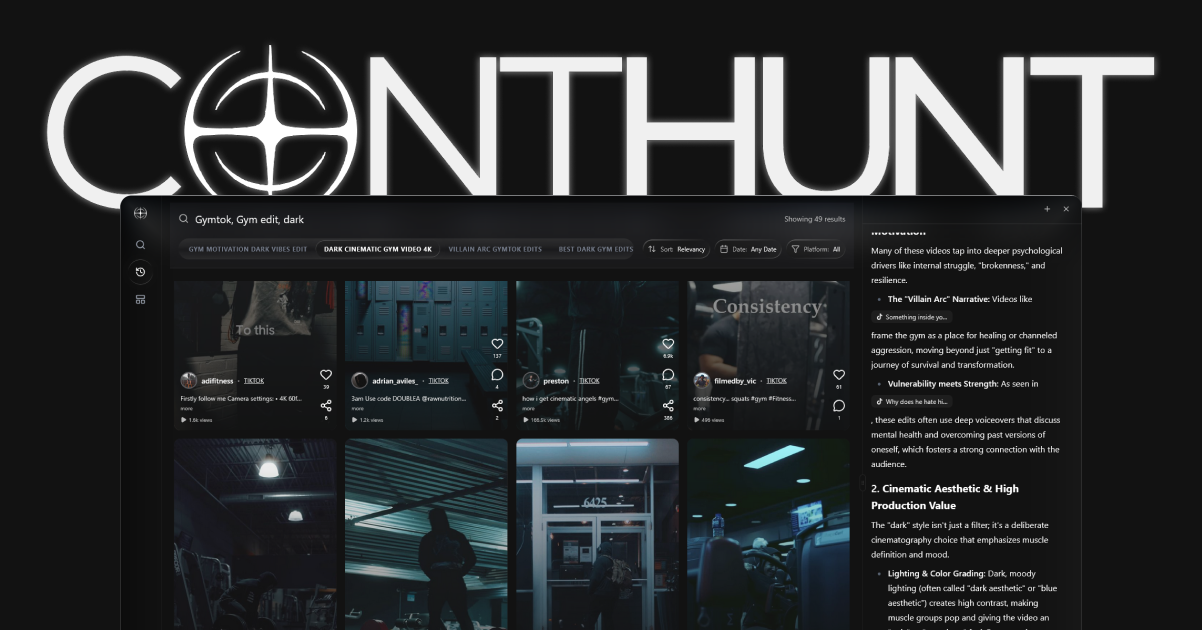
ContHunt goes beyond basic tracking by providing competitive content intelligence for YouTube and other platforms simultaneously.

Key Features:

  • Track competitor channels’ uploads, views, and engagement
  • Outlier Detection: Automatically flags competitor videos performing 2x+ above their average
  • Hook Intelligence: Analyzes the titles and thumbnails of top-performing competitor content
  • Cross-platform tracking (YouTube + TikTok + Instagram in one dashboard)
  • Node-alignment analysis for trending topic discovery

Pros: Best-in-class competitive analysis, cross-platform coverage, actionable AI insights. Cons: Less focused on SEO keyword research than vidIQ/TubeBuddy.

Best For: Brands and creators who need to track what competitors are doing and where the opportunities are.

See Also: TikTok Competitor Analysis: The 2026 Playbook


3. vidIQ (Best for Keywords & SEO)

Price: Free tier | Boost: $7.50/mo | Pro: $39/mo

Key Features:

  • YouTube keyword research with search volume and competition scores
  • Daily Ideas engine for content topic suggestions
  • Competitor channel tracking and comparison
  • Real-time video stats overlay on YouTube
  • SEO score for every published video

Pros: Best keyword research for YouTube, daily content ideas, affordable. Cons: Advanced features locked behind Pro tier, competitor tracking is limited vs. dedicated CI tools.


4. TubeBuddy (Best for Channel Optimization)

Price: Free | Pro: $4.99/mo | Star: $24.99/mo

Key Features:

  • Keyword Explorer with weighted search volume
  • Tag suggestions and A/B testing for titles/thumbnails
  • Bulk processing tools for channel management
  • Competitor scorecard with side-by-side comparisons
  • Upload checklists and best practice reminders

Pros: Most affordable paid tool, excellent for optimization, A/B testing is unique. Cons: Analytics not as deep as vidIQ, smaller database.


5. Social Blade (Best Free Tracker)

Price: Free | Premium: $3.99/mo

Key Features:

  • Public subscriber count tracking for any channel
  • Estimated earnings range
  • Channel grade (A++ to D-)
  • Historical growth charts
  • Future projection estimates

Pros: Completely free for basic use, tracks any public channel, historical data. Cons: Estimates are rough (especially earnings), no content-level analysis, no keyword tools.


6. Rival IQ (Best for Agencies)

Price: From $239/mo

Key Features:

  • Cross-platform competitive benchmarking (YouTube, Instagram, TikTok, Facebook, Twitter)
  • Automated competitive reports for clients
  • Custom dashboards and landscape views
  • Hashtag and content type analysis

Pros: Enterprise-grade reporting, multi-platform, automated client reports. Cons: Expensive for solo creators, no keyword research.


7. NoxInfluencer (Best for Influencer Analytics)

Price: Free basic | Premium from $49/mo

Key Features:

  • Channel value estimation (for brand deals)
  • Audience demographics and geography
  • Video performance trending
  • Influencer ranking by niche

Pros: Free basic analytics, good for influencer marketing teams, global coverage. Cons: UI can be cluttered, premium is required for most useful features.


8. Tubular Labs (Best Enterprise Solution)

Price: Custom

Key Features:

  • Cross-platform video intelligence across YouTube, TikTok, Instagram, Facebook
  • Audience overlap analysis between competing channels
  • Content trend detection with predictive scoring
  • Enterprise API access

Pros: Most comprehensive video intelligence platform, enterprise-grade. Cons: Pricing not transparent, overkill for small creators.


9. Channel Crawler (Best for Discovery)

Price: Free

Key Features:

  • Search and filter YouTube channels by niche, subscriber count, location
  • Identify channels in specific categories and growth ranges
  • Basic channel insights

Pros: 100% free, great for finding channels to study or collaborate with. Cons: Very basic—no engagement analytics, no competitive tracking.


10. Keywordtool.io (Best for YouTube Keywords)

Price: Free basic | Pro: $69/mo

Key Features:

  • YouTube-specific keyword suggestions from autocomplete data
  • Search volume, CPC, and competition data
  • Long-tail keyword discovery
  • Hashtag suggestions

Pros: Huge keyword database, supports YouTube and other platforms. Cons: Free tier shows keywords but not volume data, Pro is pricey.


11. Hype Auditor (Best for Audience Quality)

Price: From $299/mo

Key Features:

  • Fake follower and engagement fraud detection
  • Audience quality scoring
  • Influencer campaign ROI prediction
  • Channel authenticity reports

Pros: Essential for brands vetting influencers, fraud detection is best-in-class. Cons: Very expensive, focused on influencer vetting not content strategy.


12. Brand24 (Best for Mention Monitoring)

Price: From $79/mo

Key Features:

  • Monitor YouTube comments and video mentions of your brand
  • Sentiment analysis across video comments
  • Alert system for brand mentions
  • Share of Voice reporting

Pros: Great for brand reputation tracking on YouTube, real-time alerts. Cons: Not a traditional YouTube tracker—focused on mentions, not channel analytics.


Which YouTube Tracker Should You Choose?

If You Need… Use This
Your own channel analytics YouTube Studio (free)
Keyword research for titles/tags vidIQ ($7.50/mo)
Channel optimization and A/B testing TubeBuddy ($4.99/mo)
Free subscriber tracking for any channel Social Blade (free)
Competitive intelligence and content tracking ContHunt ($29/mo)
Enterprise cross-platform reporting Rival IQ ($239/mo) or Tubular Labs

For most creators and brands, the ideal stack is:

  1. YouTube Studio — Your own analytics (free)
  2. vidIQ or TubeBuddy — SEO and optimization ($5-$8/mo)
  3. ContHunt — Competitive intelligence and trend detection ($29/mo)

This gives you full coverage: your own data + keyword optimization + competitor tracking for under $40/month.


YouTube Tracking Best Practices for 2026

  1. Track Competitors Weekly. Check what competitors uploaded and how it performed.
  2. Monitor View Velocity, Not Just Views. A video that gets 50K views in 24 hours is a stronger signal than one that gets 50K over 6 months.
  3. Watch for Outlier Content. When a competitor publishes a video that performs 2x+ their average, study it closely—format, title, thumbnail, hook.
  4. Track Shorts Separately. YouTube Shorts have completely different performance patterns than long-form. Use separate benchmarks.
  5. Set Up Alerts. Don’t check dashboards manually. Set up alerts for competitor uploads and keyword ranking changes.

2026 YouTube Tracking Checklist

  • [ ] Am I tracking my own channel in YouTube Studio?
  • [ ] Have I set up vidIQ or TubeBuddy for keyword optimization?
  • [ ] Am I monitoring 3-5 competitor channels in ContHunt?
  • [ ] Have I set up alerts for competitor outlier videos?
  • [ ] Am I tracking Shorts performance separately from long-form?
  • [ ] Do I review competitive data monthly?

Conclusion

YouTube tracking in 2026 is not optional—it’s the competitive foundation of any serious video strategy. The right tracker stack gives you clarity on your own performance, visibility into competitor movements, and early signals on emerging trends.

Start with the free tools (YouTube Studio + Social Blade), add keyword intelligence (vidIQ or TubeBuddy), and layer in competitive tracking (ContHunt) to build a system that keeps you ahead of the game.

Key Data Points

Monthly Users

2.5 Billion

YouTube's monthly logged-in user count in 2026, making it the world's largest video platform.

Daily Video Views

1 Billion+

YouTube Shorts alone generate over 1 billion daily views, requiring dedicated short-form tracking.

Creator Economy

$48 Billion

Estimated size of the creator economy in 2026, underscoring the financial importance of YouTube tracking.

Expert Quotes

"The best YouTube trackers in 2026 don't just tell you your numbers—they tell you where the opportunity is before your competitors see it."

Video Intelligence Lead · ContHunt Strategy

Sources

  1. YouTube Creator Academy · YouTube

Explore more insights

VIEW ALL POSTS
Zach Sanders
Written by

Zach Sanders

Head of Growth

Zach has 8+ years in performance marketing. Formerly at HubSpot and a D2C ecom brand. He's scaled content channels to millions of views.

Related Articles

The Top Instagram Analytics Apps for 2026: Track Your Growth on the Go

Discover the best mobile Instagram analytics apps for 2026. Compare features like real-time engagement tracking, competitor alerts, and AI-driven growth suggestions.

Feb 18, 2026

How to View Instagram Analytics: The 2026 Guide

Learn how to access and interpret your Instagram analytics in 2026. Discover key metrics for growth, from professional dashboards to Reels retention data.

Feb 18, 2026

How to Track YouTube Shorts Competitors: The 2026 Strategy

Master the art of tracking your YouTube Shorts competitors in 2026. Learn about real-time benchmarking, content intelligence, and strategies to stay ahead.

Feb 18, 2026

How to Make a Video Go Viral: The 2026 Social Momentum Formula

Master the art of virality in 2026. Discover the data-driven formula, AI hook optimization, and psychological triggers that drive millions of views.

Feb 18, 2026

How to Make a Reel on Instagram: The Step-by-Step 2026 Guide

Learn how to make a Reel on Instagram in 2026 with our step-by-step guide. Master high-velocity templates, collaborative features, and viral editing secrets.

Feb 18, 2026

Best Free TubeBuddy Alternatives for YouTube Growth in 2026

Looking for free TubeBuddy alternatives in 2026? Compare the best free YouTube SEO tools, AI extensions, and intelligence layers to grow your channel without a subscription.

Feb 18, 2026

TikTok vs. YouTube Shorts Analytics: Decoding the Data in 2026

Compare TikTok and YouTube Shorts analytics in 2026. Learn to navigate the 'Retention Curve' vs. the 'Swipe-Away Rate' to optimize your short-form video strategy.

Feb 18, 2026

TikTok vs. Instagram Reels: The 2026 Creator's Guide

Choosing between TikTok and Instagram Reels in 2026? Compare monetization, reach mechanics, and interest-node alignment to find your primary growth platform.

Feb 18, 2026

TikTok Shop Marketing Strategy: The 2026 Social Commerce Playbook

Master TikTok Shop in 2026. Learn how to optimize product cards, leverage affiliate networks, and use AI intelligence for high-conversion social commerce.

Feb 18, 2026

TikTok Content Strategy for Business: 2026 Growth Framework

Build a scalable TikTok content strategy for your business in 2026. Learn to transition from selling to serving through high-utility short-form video and node alignment.

Feb 18, 2026